 SharkBay
PROJECT WORKSPACES / macOS
Switch projects.
Keep your bearings.
Manage local repositories, AI coding sessions, Git worktrees, browser previews, and dev services in SharkBay's project-centered macOS workbench.
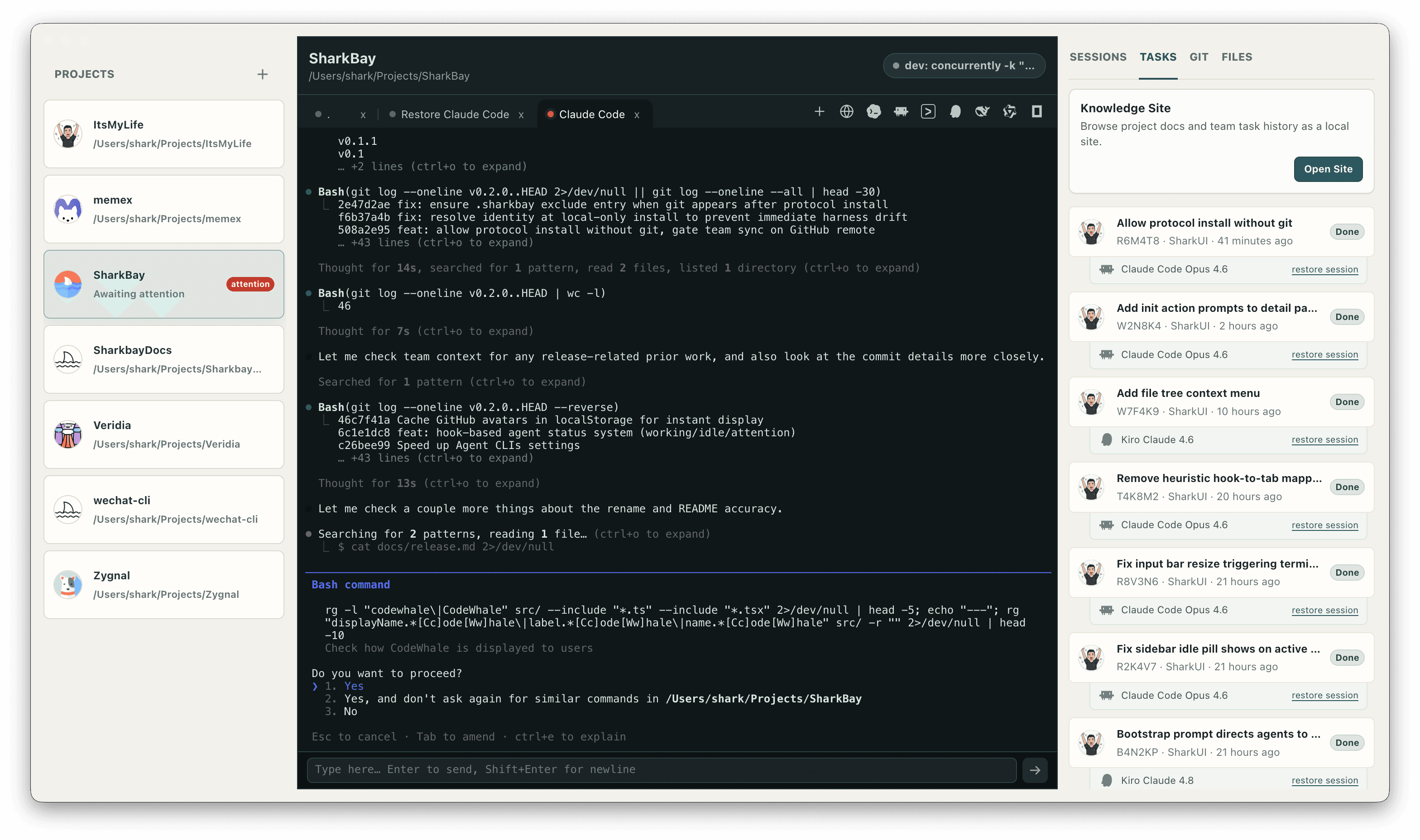
Keep sessions with the repository
A coding project is more than a terminal window. It has a working directory, instructions, files, Git state, development commands, and conversations already in progress. SharkBay groups those tools around the selected local repository.
Add repositories to the sidebar and switch between them without losing the terminal tabs running in each project. Launch supported AI coding CLIs from the project toolbar, open another shell with Cmd+T, and reorder tabs as your work changes.
Give a parallel branch its own worktree
When two lines of work need separate working directories, create a branch worktree from a project's context menu. SharkBay registers the new worktree as a project in the same step, so you can launch sessions in its own directory.
A Git worktree separates checked-out files while sharing the repository's Git history. It is useful for parallel feature work, but it is not a security sandbox and does not remove the need to review changes or resolve merge conflicts.
Run the project and inspect the result
SharkBay discovers dev and dev:* scripts from package.json, along with supported Python CLI web commands. Start and stop a development service from the workspace, then open its local URL in an embedded browser tab beside the terminal.
The Git panel exposes branch and working-tree information, while the built-in CodeMirror editor opens project files in tabs with syntax highlighting and Cmd+S saving. Keep verification close to the code being changed.
Return to the work with context
Project sessions help you find and restore supported agent conversations. Task Protocol adds a separate, durable record of the work: Markdown files that capture the summary, changed files, work, and verification.
With a GitHub remote configured, task records can share context through a dedicated branch. Knowledge Site presents project docs and task history as a browsable local site, giving the next person or agent a place to begin.
Explore Task Protocol ↗Frequently asked questions
Do terminal tabs stay alive when I switch projects?
Yes. SharkBay keeps per-project terminal tabs alive while you switch between repositories in the workspace.
Can I use Git worktrees for parallel agent work?
Yes. Create a branch worktree from a project's context menu and SharkBay adds it as a project. Each worktree has its own checked-out files; you still coordinate changes and review merges.
Are my projects moved to a remote workspace?
Projects and agent CLIs run locally on your Mac. Individual agent tools may use their own cloud services, and optional team task context uses your configured GitHub remote.