 SharkBay
AGENT STATUS / macOS
Your agents are working.
Know when they need you.
Track AI coding agent status in SharkBay for macOS. See working, idle, and attention signals across project sessions, with terminal tabs and an Island overlay.
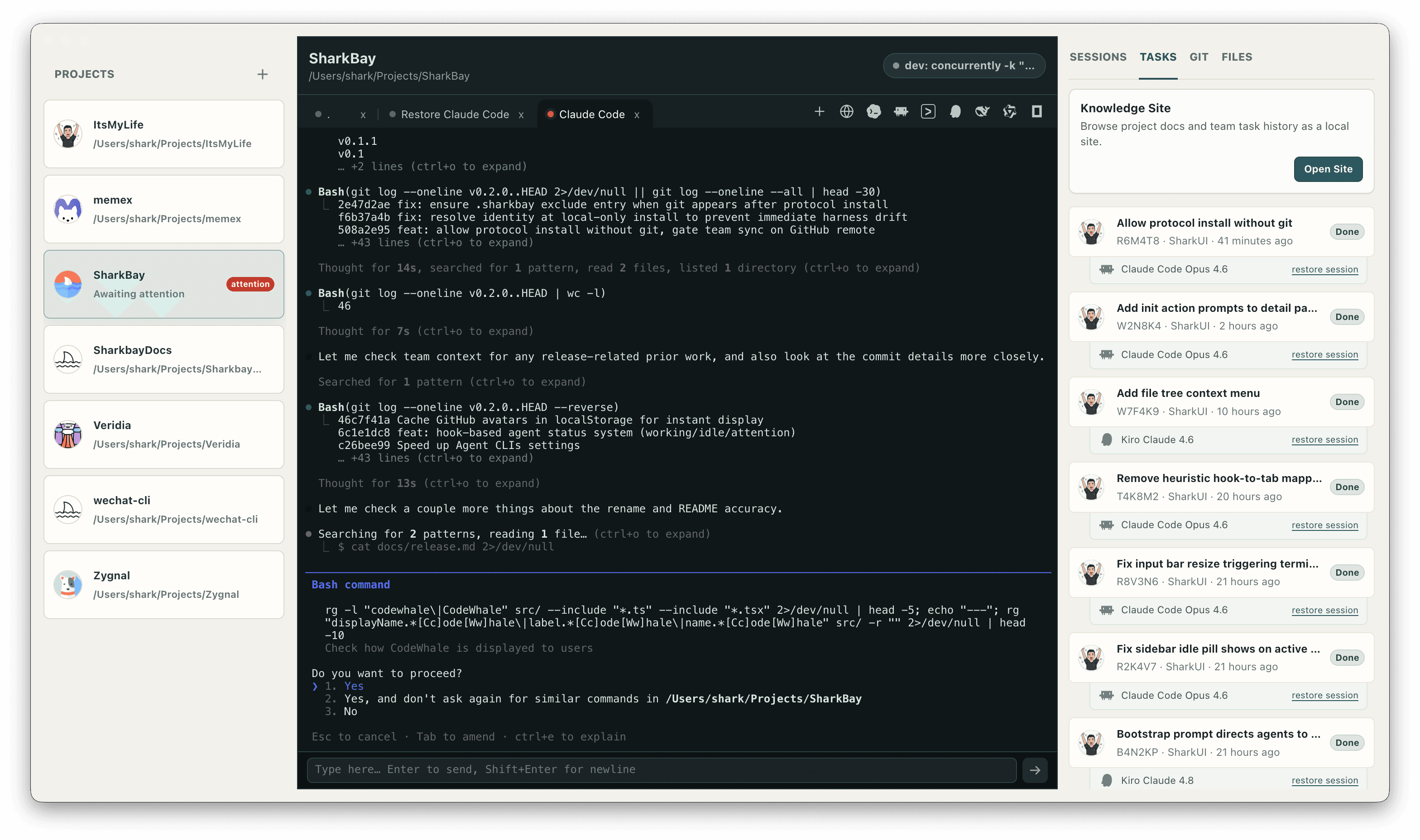
Read the state of a coding session
When several coding agents are running, checking every terminal interrupts your own work. SharkBay surfaces working, idle, and attention signals from supported agent hooks so you can identify the session that needs a closer look.
A status signal describes the session's activity. Idle does not prove that a task succeeded, and attention does not automatically mean an error. Open the terminal to read the agent's output, answer a question, or handle an approval.
Follow a signal from project to terminal
The project sidebar keeps activity beside the repository it belongs to. Terminal tabs preserve the individual sessions inside that project, while the launcher toolbar lets you start another supported agent from the same workspace.
For example, you can ask Claude Code to implement a page while Codex reviews changes and Gemini updates documentation. When one session requests attention, switch to its terminal and make the decision there. You remain responsible for assigning work and coordinating changes to shared files.
Keep session states visible with Island
SharkBay includes a macOS Dynamic Island–style overlay for live agent session states. An animated shark mark and glow ring make activity visible outside the main workbench, and transparent areas are click-through.
Use the overlay as an activity indicator while working elsewhere, then return to the project for the full terminal output and surrounding context. It complements the workbench rather than replacing the agent conversation.
Start with your existing agent tools
SharkBay supports Claude Code, Codex, Gemini, Kiro, Reasonix, Qwen, OpenCode, and Cursor CLI. Install and sign in to the tools you use, add a local repository, and launch an agent from the project's toolbar.
Status reporting depends on each agent's integration and emitted hooks. If a status needs interpretation, the visible terminal remains the place to inspect what the agent actually reported. SharkBay does not replace the CLI's account, output, or approval flow.
Read the installation guide ↗Frequently asked questions
Does an idle agent mean the task is complete?
No. Session activity and task completion are different. Read the terminal output and the task's Summary and Verification before deciding whether the work is complete.
Can I monitor multiple coding agents at once?
Yes. SharkBay manages multiple local agent sessions and surfaces their activity in the project workspace and Island overlay. The available signals depend on each agent's hook integration.
Does SharkBay approve agent commands automatically?
The workbench exposes the underlying agent terminal. You handle command approvals in that agent's own workflow; a status indicator is not an approval.